Tag Archive for: solidwp

Your security and your weakest chain

They say your security is only as good as your weakest chain. Your weakest chain are the users. No, for real. Users are responsible for 30-40% of all hacks, just by using weak passwords, re-using passwords, and even use breached passwords!

That’s wht the tab SUer Security is so important, and not only for the nice view.. you have to use it! Don’t allow to many administrators, dont allow compromised or weak passwords!

Now you know who the weakest link is, make them strong! Reset their password to a strong password. Just let them know they have a new one 😉
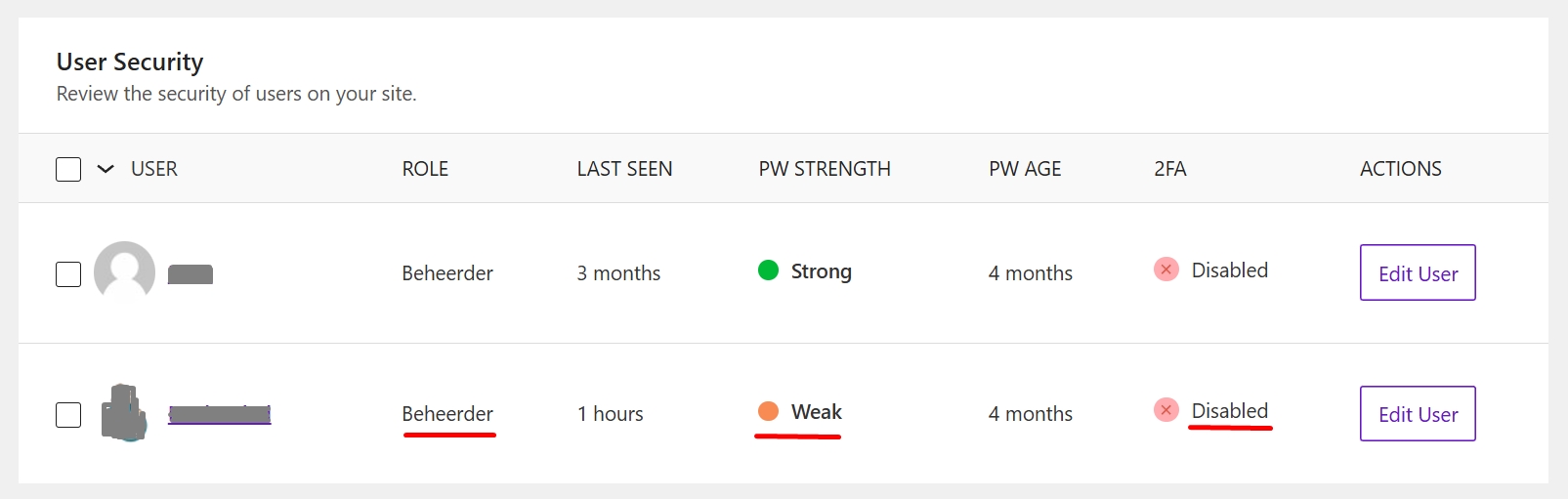
usr security solidwp

The most overlooked feature? File permissions check

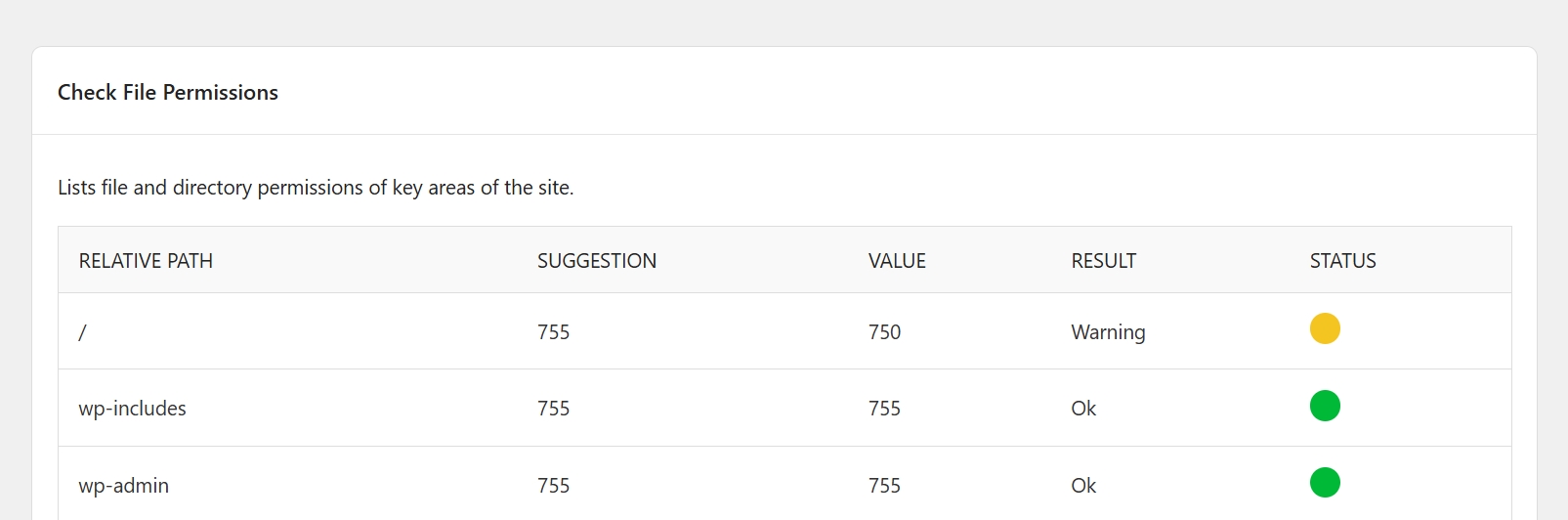
Also to be found at the tools tab! The file permission check. The file check that SolidWP performs seems very basic, though it does exactly what’s needed: it tells you how your writing permissions are at server level.

Hackers and bots would love to add code and changes to some files, and when set at 777 they can easely. Make sure your Htaccess and wp-config are set to 444, no public writing!

Check your file permissions and change them if yellow or red.

solidwp file permission check

The MU-Plugin option

Not many people know the advantage of the MU plugin option.
What it does, it places the SolidWP action BEFORE all other functions/plugins are loaded.
In that way, it’s loaded before potential hacks. Which is important don’t you think?

Lets give SolidWP an head-start!

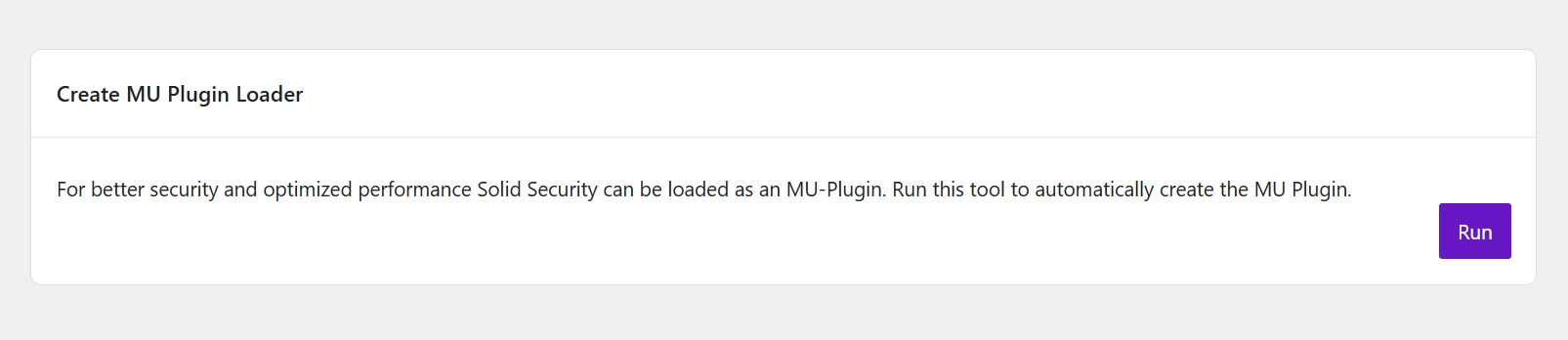
Where can this be done: Security > Tools > Create MU Plugin Loader

MU Plugin loader SolidWP

SolidWP’s secret gem!

You want do have control over the updates right? You want to manually update and check your website if it still works.

We understand!

Though, sometimes there are vulnerbility’s that simply can’t wait! They need to be updated and patched as soon as possible.

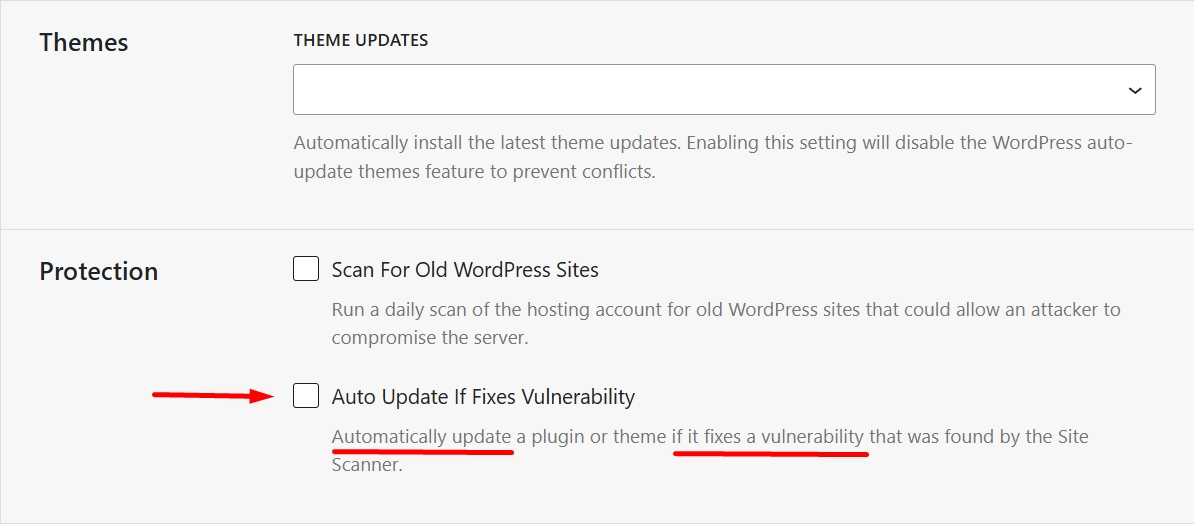
And that’s why SolidWP has this brilliant feature: Auto update if fixes vulnerbility!!

It does what it says 😉 Just make sure you have licenses for your premium plugins.

Where can you find this gem: Security > Features > Version Management > Protection

Auto update

Notification avalange!

SolidWP is a wonderfull plugin. It is able to stop so many threads!

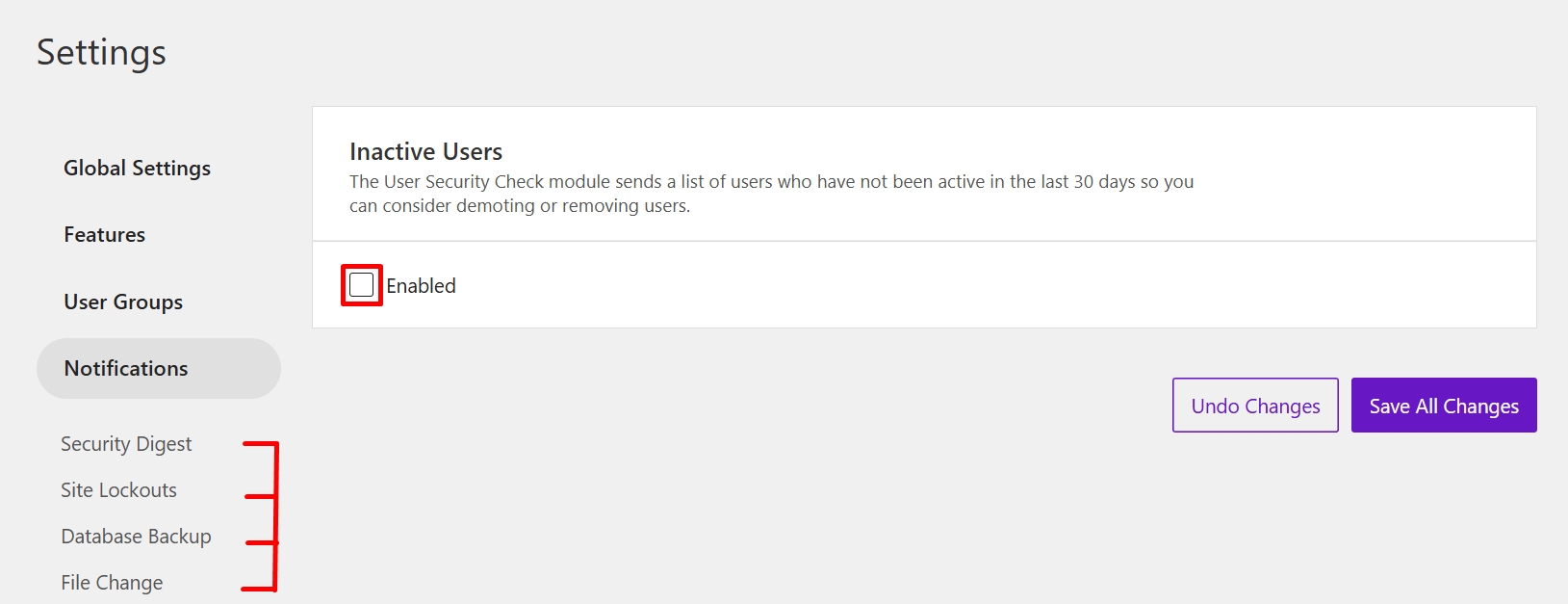
And if you install SolidWP and not turn off some of the notifications, it will tell you all about what happened daily or even more times a day!

Our advice, check what you really need to know.

Make sure the security is well configured, so you might be able to skip some notifications – it will make your day just a little bit better!

solidwp notifications

How to hide your admin page

If hackers can’t find your admin page, how are they going to hack it?!
Trough the XML-RPC and other methods.

Okay thats not what I wanted to talk about 😉
Let’s assume they are beginners, lazy, they will just popup the /admin page or the /wp-login.php page. That’s way to easy!

Let’s make it more difficult for them!

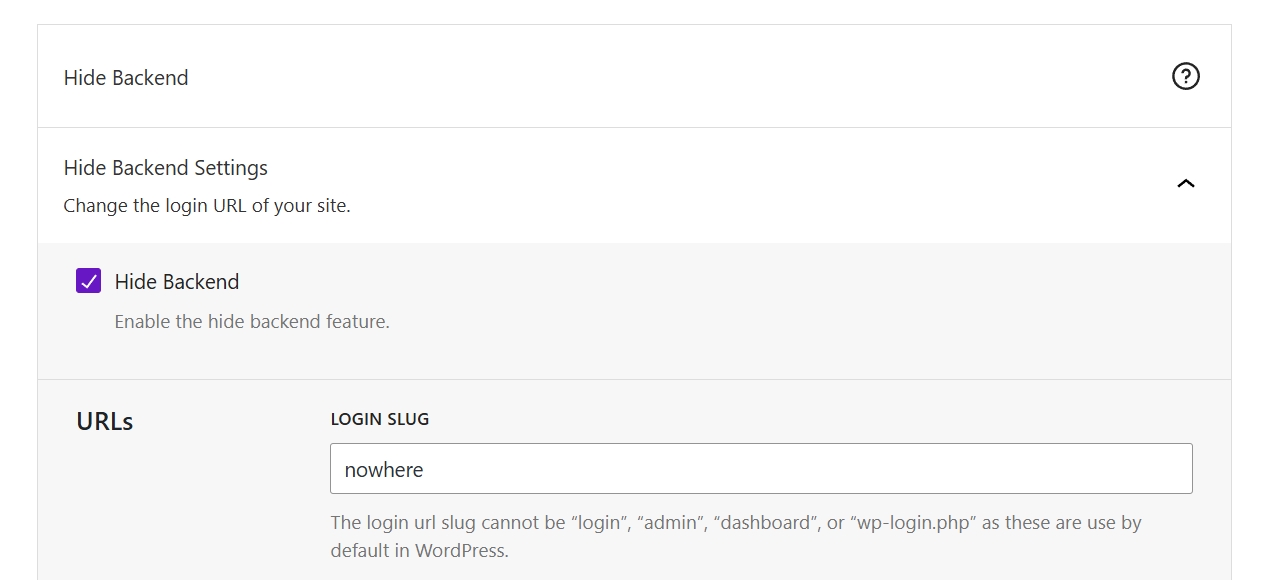
Go to: Security > Advanced > Hide backend

And change the Login slug to something only you and your friends know!
It wil save you a lot of bot’s and people trying your username/password reset form and more tricks they have.

hide your backend solidwp

Did you know? Database tip

It is a few years back, my client had a website which was very well visited.
We speak of thousands of visitors each day.

And probably many bots. Combine that with a pretty bad coded theme and a lot of links to removed pages that did not got redirected.. and you have yourselve a 404 machine 😉

What does that mean? Hundreds of 404 registrations in the database each day (or even hour) got the database so big, it was going to 500MB’s in one week! Within 3-4 weeks the database started slowing down and giving trouble loading.

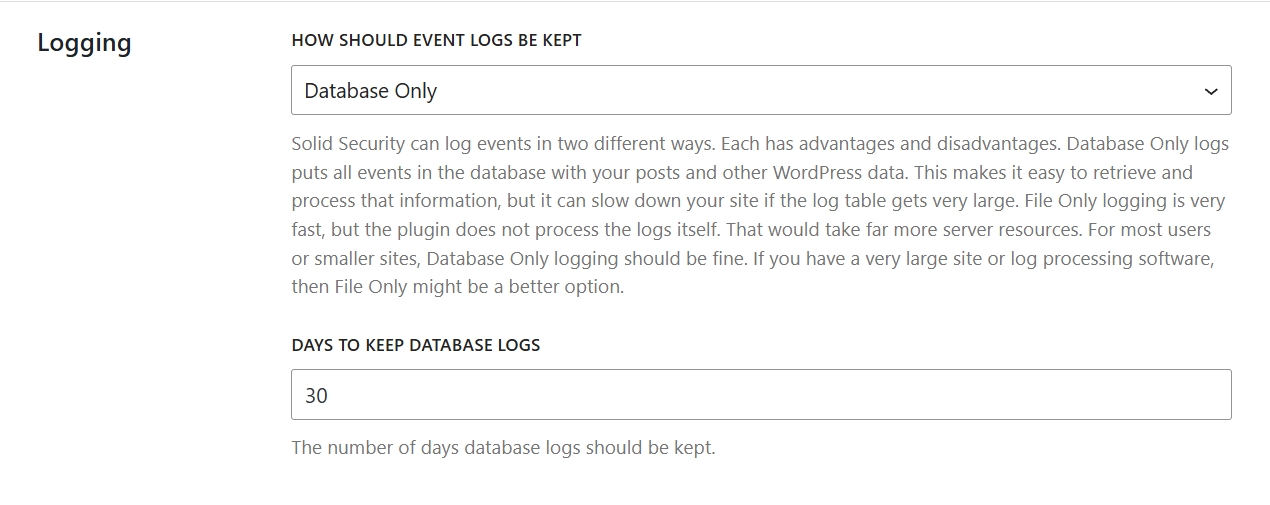
And thats the reason I set database logging to 30 days instead of 60.

Although I have never seen it happen in the past years anymore.

Where thats setting lives: Sucurity > Global Settings > Logging

solidwp database tip